![AtomLearningLogo_White.svg]](https://resources.atomlearning.co.uk/hubfs/AtomLearningLogo_White.svg)
Receipts
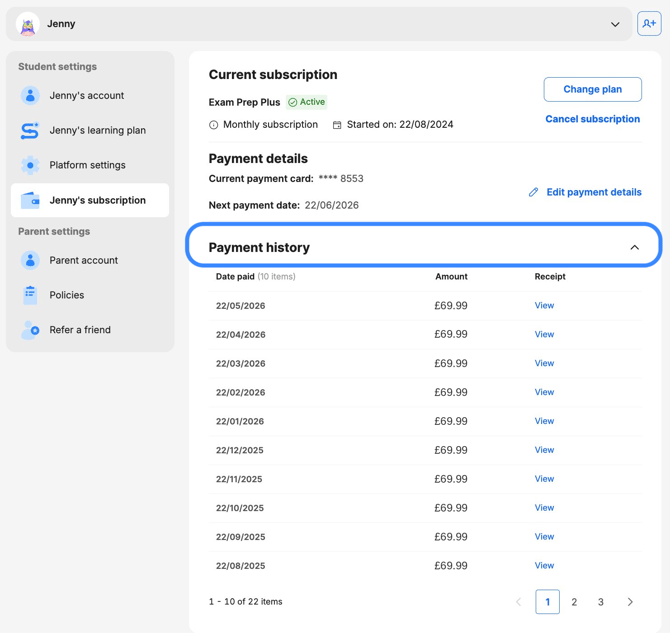
You can access your payment history on Atom by following the steps outlined below:
- Head to 'My settings'.
- If you have more than one child on your account, select the child whose plan you want to view the payment history for.
- Under Student settings, select [Child's name]'s subscription.
- Under Payment history, click the drop-down.
- Find the relevant date and select 'View.' You will then be able to download and print both the invoice and receipt for your records.
Changing your billing date
It’s not currently possible to change your billing date on an active subscription. If you’d like your payments to be taken on a different date, you’ll need to cancel your current subscription and resubscribe on your preferred date. This will reset your billing cycle going forward.
Tuition
For enquiries related to invoicing for 1:1 tuition, please contact tuition@atomlearning.co.uk