![AtomLearningLogo_White.svg]](https://resources.atomlearning.co.uk/hubfs/AtomLearningLogo_White.svg)
What happens if my payment fails?
If your payment for Atom Learning doesn't go through, you'll receive an email to let you know. Don't worry, we'll automatically retry the payment over the next few days.
What should I do?
We recommend checking that your payment details are up to date or contacting your bank if you think there may be an issue on their end.
What if I want to regain access sooner?
If you'd prefer not to wait for the automatic retry, you have two options to resolve this sooner:
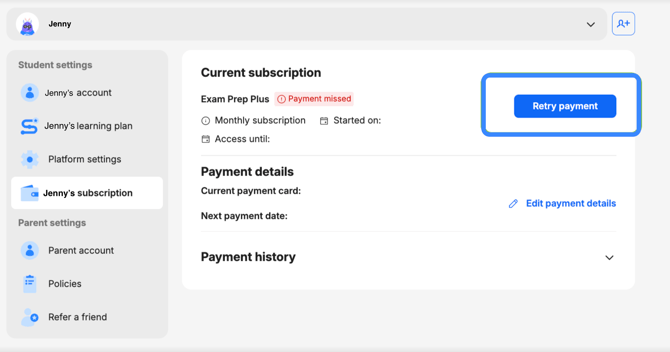
Directly from the account
-
Log in to your account.
-
Head to 'My settings'
- If you have more than one child on your account, select the child whose payment details you wish to update.
- Under Student settings, select [Child]'s subscription.
- Under Current subscription, select 'Retry payment'.
From email link
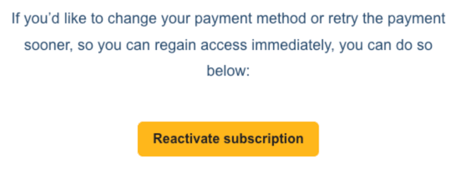
Click "Reactivate subscription" in the email. This will take you directly to your payment page, where you can either update your payment details or retry the payment with your existing details.
Your child's access will be restored immediately once the payment goes through.
Need help?
If you run into any issues, our support team is on hand. You can reach us at support@atomlearning.co.uk.